


Cash App
4.7480.89K Reviews
App Specs
- Version
- 5.74.0
- Updated On
- License
- Free
- Downloads
- 100,000,000+
- Developer
- Block, Inc.
- Categories
- Finance
- Platform
- Android, iOS
Screenshots
 Analysis by AppCompare
What makes Cash App most useful to me is the way it turns a quick payment into a simple, repeatable routine. When friends are sharing a meal, arranging a ride, or covering a small group expense, I can send money without asking everyone to handle a bank transfer. That convenience is the app’s strongest everyday case: it reduces the awkward back-and-forth around who owes what, as long as the people involved are comfortable using the same service.
A payment flow built for quick exchanges
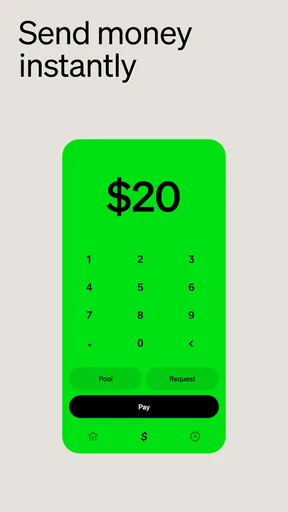
In practice, the appeal is less about managing every part of your finances in one place and more about making a small transaction feel uncomplicated. I can think of the amount, choose the person, and send it from the app rather than switching between a text conversation and a bank’s transfer screen. A personal $Cashtag can also make it easier for someone to find the right recipient, which is helpful when sharing payment details with a person who is not already in your contacts.
That convenience still depends on taking a moment to check the recipient and amount before confirming. A familiar contact name or a clear $Cashtag helps, but it is sensible to verify the details rather than treating a fast payment like a reversible message. I would also keep payment notes specific enough to recognize later. When a group settles several expenses over a few days, a useful transaction history is much more valuable than a stream of entries that all look alike.
Guides and Analysis on Cash App
Where it fits beside a bank app
I see it as a handy complement to a regular bank account, not an automatic replacement. A bank app is usually the more natural place for routine account management and payments that need to follow established banking processes. Cash App is more appealing when the task is a direct payment between people who already use it, or when I want a single app that also offers other money-related tools.
That distinction matters if you are deciding whether to make it your main financial hub. A broad set of options can be convenient, but it can also make a focused payment app feel less focused. If you mainly want to transfer money to people who prefer another payment service, the best choice is often the one your group already uses. Asking friends to install something new can erase the convenience you hoped to gain.
A realistic use: settling a shared evening
Imagine I book a ride after dinner and a friend offers to cover the next one, while another person pays the bill. Rather than trying to work out a complicated split on the spot, we can settle the amount we actually owe each other afterward. I would confirm each person’s details, send only the agreed amount, and check the history once the payments are complete. The benefit is not that the app decides who owes what; it is that it makes the agreed payment easier to carry out.
For recurring shared costs, I would keep the arrangement just as deliberate. A quick transfer can settle a utility contribution or a shared purchase, but it does not replace an agreement about timing, amounts, or responsibility. That small distinction prevents an easy payment method from becoming a source of confusion. The app is at its best when the people involved have already settled the details and only need a convenient way to exchange money.
Worth Reading Before You Choose

Switching to Android Auto Means Rethinking Your Driving Routine

Google Calendar Makes a Crowded Week Easier to Manage

Ludo King Makes the Most of the Minutes Between Plans

Baby Panda World Brings Quick Play to Modern Phones, but Its Game Library Feels Busy

ESPN’s Live Game View Makes Following Close Games Easier

QuizzLand Review: A Good Fit for Short Trivia Breaks, Not Every Player
Useful breadth, with a learning curve
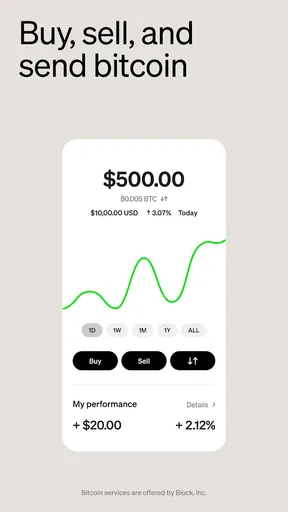
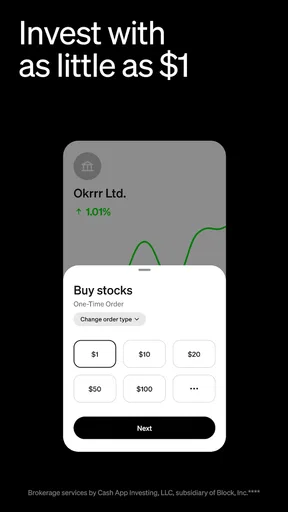
Cash App also reaches beyond person-to-person payments. Its Bitcoin and stock options may appeal to someone who wants to explore those activities without moving between several apps. I would treat that breadth as optional rather than a reason to use every feature. If my main goal is only to reimburse friends, I can keep my attention on payments and leave investing tools alone until I understand what I want from them.
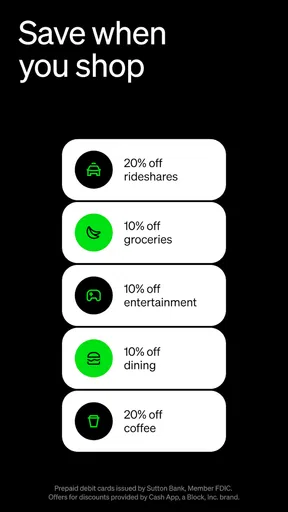
The same applies to the Cash Card and Boosts. A card linked to the app’s balance can give that balance a practical use for purchases or ATM withdrawals, while discounts may be worthwhile when they match something I already planned to buy. I would not change my spending just to chase an offer. A discount is useful only when the purchase makes sense on its own, and a card is most helpful if I am comfortable keeping track of its balance alongside my other spending.
Security deserves the same practical approach. A fingerprint or PIN lock adds a useful barrier if someone gets access to the device, and the app’s security measures are reassuring. They do not remove the need to protect account access, review payment details, and be cautious with unexpected requests. For me, the important habit is to slow down at the moment a payment is sent, even when the rest of the process feels quick.
There is also a trade-off in keeping a payment balance and financial tools inside one app: convenience can make it easier to lose track of which money is available for which purpose. I would check the transaction history regularly and avoid treating a visible balance as a complete budget. If I need detailed planning across bills, savings, and household spending, a dedicated budgeting approach may serve me better than relying on a payment history alone.
Created by Block, Inc., Cash App is a free finance app with an Everyone age rating. It has a 4.7 average from around four million ratings and more than 100 million installs, signs that it has become a familiar option for many users. Those figures suggest broad adoption, but they do not mean it will suit every friend group or every way of handling money. I would choose it for the convenience of its payment routine, not simply because many people have downloaded it.
The current version is 5.30.0, and it requires Android 10 or later. That is worth checking before relying on it, especially if you use an older Android phone. More important than the version number is whether the people you pay are willing to use the same service and whether its mix of payment and finance tools matches the way you prefer to keep track of money.
Cash App is a strong fit for someone who regularly settles informal expenses with people who already use it and appreciates having additional financial options close at hand. It is less compelling if your contacts are committed to another service, if you want a more traditional bank-first experience, or if you would rather keep payments and investing separate. I’d recommend it as a convenient tool for specific everyday exchanges, while keeping a bank app or another method available for needs it does not replace.
Ever found yourself in a situation where you need to split the bill or send money to a friend but don't want the hassle of cash or bank transfers? That's where Cash App comes in. After spending some quality time with this app, I’m here to give you the lowdown on why it’s been catching so much attention.
Getting Started with Ease
Setting up Cash App is a breeze. You download it, punch in some basic info, and voilà, you're ready to roll. It’s like having a mini bank in your pocket. The interface is clean and user-friendly, so even if you’re not tech-savvy, you’ll find it easy to navigate. No need to worry about getting lost in a sea of options because everything is laid out intuitively.
Features That Make Life Simpler
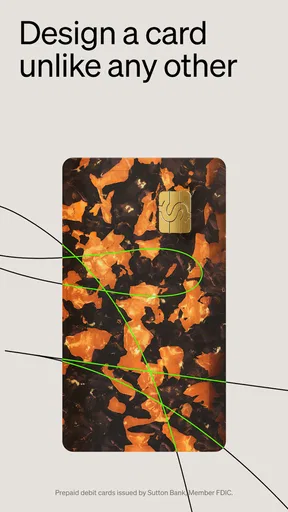
One of the standout features is its ability to send and receive money almost instantly. Whether you’re paying for a coffee or splitting rent, Cash App makes it seamless. Just enter the amount, select your friend, and hit send. It’s that simple! Plus, they’ve got this cool feature where you can get a free debit card, known as the "Cash Card," to use your balance for purchases or ATM withdrawals.
Are you into cryptocurrency? Cash App has got you covered. You can buy, sell, and hold Bitcoin directly through the app. It’s a neat feature for those looking to dip their toes into the crypto world without the hassle of setting up separate accounts.
Security and Peace of Mind
Security is always a biggie when dealing with money, right? Thankfully, Cash App takes it seriously. They use encryption and fraud detection tech to keep your info safe. Plus, you can set up a security lock with your fingerprint or a PIN, giving you that extra layer of protection.
Beyond Just Money Transfers
Cash App isn’t just about moving money around. If you’re feeling lucky, you can buy stocks with the app too. It’s a fun and easy way to start investing, even if you’re a newbie. And let’s not forget about their "Boosts" feature, which offers discounts at popular retailers and restaurants when you use your Cash Card.
One of the things I really appreciate is the ability to personalize your experience. You can create a unique "$Cashtag," which makes it super easy for others to find you and send you money. Plus, the app keeps a neat transaction history, so you can keep tabs on where your money is going.
Final Thoughts
So, should you get Cash App? If you’re looking for a hassle-free way to manage your money, send and receive payments, or even dabble in crypto and stocks, then absolutely. It’s packed with features that cater to a variety of needs, all wrapped up in a user-friendly interface. Just remember to stay smart about your security settings.
Whether you’re settling a dinner bill, paying for a ride, or just sending some birthday cash, Cash App makes the process quick and stress-free. It’s like having a financial Swiss army knife right on your phone.
Pros
- Simple
- intuitive interface for easy navigation.
- Fast money transfers between users.
- Supports Bitcoin trading and investing.
- Cash Card offers customizable options.
- Instant notifications for transactions.
Cons
- Limited customer support options available.
- Not available in all countries.
- Fees for instant cash-out transactions.
- Lacks detailed budgeting tools.
- Requires phone number for account setup.
FAQs for Cash App
What is Cash App and how does it work?
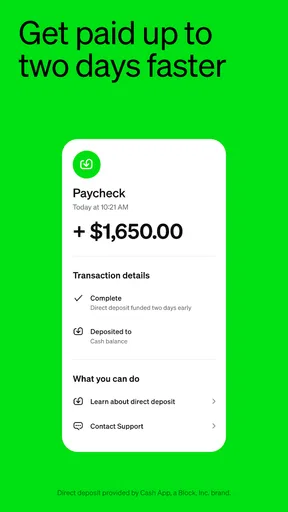
Cash App is a mobile payment service that allows users to transfer money to one another using a mobile app. Users can link their bank accounts, credit cards, or debit cards to the app, making it easy to send and receive funds. Additionally, Cash App offers features like direct deposits, Bitcoin trading, and a free debit card called Cash Card.
Is Cash App secure to use for transactions?
Yes, Cash App employs multiple security measures to protect your information. It uses encryption and fraud detection technology to secure your data and transactions. Users can also enable features like Touch ID, Face ID, or a PIN code to add an extra layer of security. However, it's crucial to be cautious and only send money to people you trust.
Can I use Cash App without a bank account?
While it's possible to use Cash App without linking a bank account, it limits the app’s functionality. Without a bank account, you can't cash out your balance or add funds directly from a bank. However, you can still receive money from others and use the Cash Card if you've ordered one.
Are there fees associated with using Cash App?
Cash App is free to download and use for personal transactions. However, there are fees for certain services. For example, a 3% fee is charged when sending money using a credit card and a 1.5% fee for instant deposits. Standard deposits to your bank account are free and typically take 1-3 business days.
What should I do if I encounter a problem with Cash App?
If you experience issues with Cash App, the first step is to check their extensive Help section within the app or on their website. You can also contact their customer support through the app by navigating to your profile and selecting 'Support'. Be wary of scams and ensure you’re using official channels for assistance.


